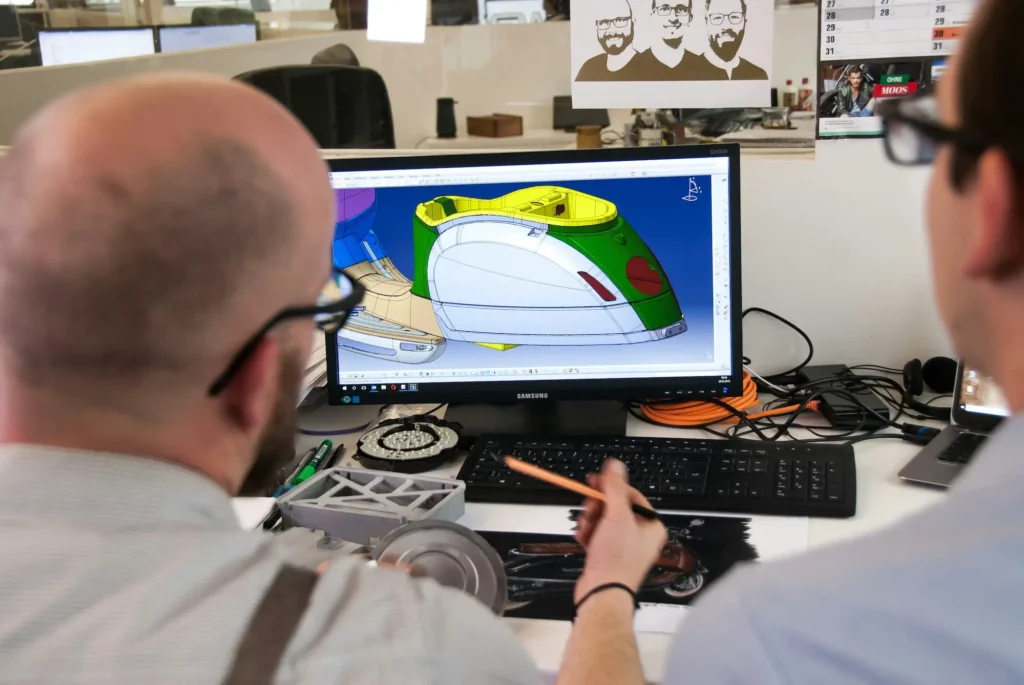
CAD collaboration software exists because design work rarely stays with one person for long. Most projects involve designers, engineers, and manufacturing teams who need to look at the same CAD files and discuss changes as work moves forward.
Older CAD software forced people to send files through email or shared folders. This often caused version confusion, missed feedback, and extra rework when someone edited the wrong copy.
A shared setup solves that problem by keeping everyone in one place. Multiple users can open the same file, review CAD models together, and see updates without waiting.
In this article, we’ll explore how collaborative CAD works and how teams use it during real projects.
TL;DR
- Collaborative CAD software allows multiple people to work on the same CAD design in a shared workspace.
- Teams use it for live design reviews, approvals, distributed work, and clear feedback tied directly to the model.
- Different types include cloud-based platforms, hybrid desktop and cloud setups, and review-focused viewers.
- Key features include real-time communication, version control, permissions, and integration with existing CAD tools.
- CADchat brings these workflows together by enabling live model reviews, clear feedback, and centralized design discussions.
What Is Collaborative CAD Software?
Collaborative CAD software lets more than one person work on the same design without passing files around.
It supports design collaboration by keeping everyone inside one shared project space. Designers and engineers open the same CAD files, review models together, and make updates as work moves forward.
Simultaneous editing allows multiple users to work at the same time while the system tracks changes in the background. You no longer wait for access to a file or wonder which version to trust.
Most collaborative CAD platforms store files in the cloud. Teams can access designs from any device, anywhere, with an internet connection.
Communication also stays close to the design. Since these platforms often have a built-in communication tool, your team members can add comments, mark up drawings, and guide others through a model using follow mode.
How Teams Use Collaborative CAD Software in Real Workflows
Different teams rely on collaborative CAD to handle work where many people need to review, change, and approve designs. The benefits show up most clearly during reviews and when you work from various locations.
Design Reviews and Approvals
Design reviews now happen inside the model instead of through screenshots or exported drawings.
Designers open live 3D views and leave comments directly on parts, so feedback stays tied to the exact area under discussion. This sets the standard in engineering collaboration by keeping reviews clear and focused.
Markups from images or PDFs can also turn into suggested actions, which you can apply with one click. Some also place issue markers on 3D parts, so comments stay visible even when the model changes.
For approvals, designs move through set states, and only approved users can sign off at each step.
After approval, drawings and manufacturing files update automatically. The system keeps a full record of comments and decisions, so regulated industries track every step.
Make design approvals clear, traceable, and stress-free. Start with CADchat.
Coordinating Work With Distributed Teams
Collaborative CAD supports work that happens in many places at once. Engineering and design teams can open the same assembly and work in parallel, which creates seamless teamwork and removes handoffs.
Live updates show changes right away, while conflict checks catch overlaps before they turn into errors. You can even test ideas in side versions and merge them back once they work.
The platform provides a collaborative environment that connects professionals, data, and ideas. Comments stay attached to parts, follow mode supports live handovers, and activity summaries help you catch up after time away.
Managing Feedback From Non-CAD Stakeholders
Collaborative CAD software makes it easier for people outside engineering to review designs without learning complex tools.
Marketing, project leads, and clients can open models in a browser and provide feedback without touching the underlying CAD work. Many companies rely on this setup, so decisions don’t stall while waiting for technical translations.
Non-CAD users can view designs on laptops, tablets, or phones. They can point to a part, leave a note, or ask for a change without editing geometry. This makes it simple for them to provide feedback while you keep full control of the model.
Interactive reviews also help people understand designs better. Some teams use shared 3D sessions or simple walk-through views so feedback comes from a clear understanding.
Make feedback easy for everyone involved, not just engineers. Work in CADchat.
Reducing Rework and Miscommunication
Rework often starts when someone works from the wrong file or misses an update. Collaborative CAD keeps one shared version, so everyone sees the same information at all times. This improves collaboration and brings coherence in the design processes.
Automated checks catch conflicts early, such as parts overlapping in large assemblies. These checks help you fix issues before manufacturing begins, which reduces costly changes later.
When teams work this way, fewer errors move downstream. Reviews finish faster, decisions stick, and the workflow accelerates project timelines.
Types of Collaborative CAD Software
There are different types of collaborative CAD software based on how design moves and how many people need to stay involved during a project.
Cloud-Based Collaborative Platforms
Cloud-based collaborative platforms run fully online and keep all design work in one shared location.
Files save directly into shared data storage rather than local folders, so everyone opens the same model every time. Some cloud services further handle processing and updates, which removes the need for high-end computers and manual syncing.
This way, you stay connected to the cloud for remote collaboration, even when members work in different offices or time zones. A designer can update a part, and others see the change right away.
In addition, access works from many devices. Designers, reviewers, and managers can join from laptops or shared systems.
Hybrid Cloud and Desktop Solutions
Hybrid cloud and desktop solutions mix local CAD software with online collaboration. You can work on your own device, and updates sync in the background, with cloud-based data management.
Local work continues even when the network drops. Once the connection returns, changes sync back into the shared project.
Browser-based reviews allow comments without opening CAD tools, and those comments appear inside the desktop workspace near the affected geometry.
Many teams choose this model to keep familiar workflows. Engineers keep full control of local tools, while reviewers and managers stay involved without editing models.
Specialized Collaborative Viewers and Review Tools
Specialized collaborative viewers prioritize review over editing. These tools stream a 3D representation directly to your browser, so people can inspect models without installing CAD software.
Everyone in your team can join a simultaneous collaboration session to discuss changes together and see feedback in real time.
Many viewers connect with planning systems and can sync directly with project management tools. Tasks move from review into action without copying notes by hand.
Key Features of Collaborative CAD Software
The best CAD software for collaboration brings all the features teams rely on into one system, such as:
Real-Time and Contextual Communication
Real-time communication should happen inside the design. It should let you work on a shared document where comments, notes, and markups point to exact parts of a model or drawing.
That setup removes vague messages like “Change this part” and replaces them with visual direction. You can communicate directly on the design rather than switching between email, chat apps, or meeting notes.
Follow mode then helps during live sessions by letting one person guide others through a specific view. Everyone looks at the same area, which keeps discussions focused and avoids repeated explanations.
Besides that, comments stay attached to the design, so new team members can review past decisions and understand why changes happened.
Communicate directly on your CAD models and avoid unclear feedback. Use CADchat.
Version Control and Change Tracking
Version control protects work when many people edit together. Multiple users editing the same file can work at the same time while the system tracks every update in the background.
Each set of design changes appears in a clear history. You can compare versions, review what moved or changed, and return to an earlier state if needed. The system always shows the current version of the drawing or model, which prevents mistakes caused by outdated files.
Advanced security measures like this protect change records and make sure updates stay accurate.
Access Control and Permissions
Access control protects designs inside the CAD system. Collaborative CAD systems provide an automated audit trail that records who viewed, edited, or approved each part of a project.
Authorized users receive access based on role. Let’s say engineers change geometry, reviewers add comments, and managers approve work. This structure prevents accidental edits and keeps responsibility clear throughout the project.
Clear permissions also support compliance needs. You can show exactly who accessed design data and when, which helps regulated industries stay organized.
Keep permissions simple, visible, and easy to manage. Explore CADchat.
Integration With Existing CAD Tools
Likely, you already rely on several design tools. Integration lets collaborative platforms connect with existing CAD tools without forcing file conversions or rebuilds.
Files stay linked between systems, comments appear inside native tools, and updates sync automatically. Your team keeps familiar workflows while gaining shared visibility and better coordination.
Create Reliable CAD Collaboration Workflows With CADchat
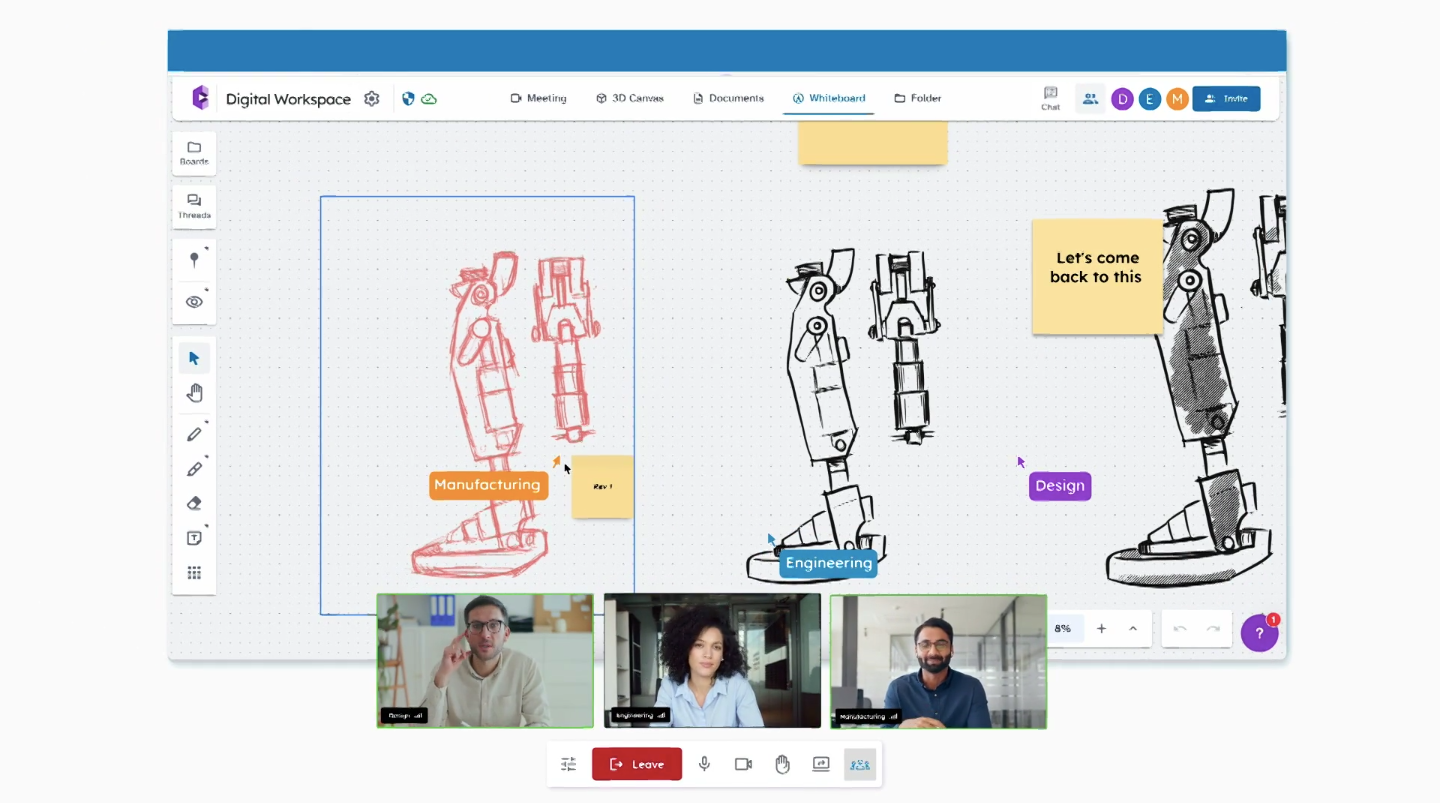
CADchat gives you a single shared workspace. Everyone joins the same workspace and can interact directly with native CAD files, rather than relying on screenshots or screen sharing.
Engineers, manufacturers, suppliers, and non-technical roles all see the same information and stay aligned from the start.
Review CAD Models Together in Real Time
Live CAD model reviews allow each participant to explore the design on their own screen. People can rotate, zoom, and inspect details at the same time, or follow a presenter when the group needs focus.
That setup helps teams catch issues earlier and discuss changes with full context.
Keep Feedback Clear and Tied to the Design
Comments and markups attach directly to parts of a drawing or model, so no one has to guess what a note refers to. Discussions remain easy to follow even weeks later.
Support Both Live and Ongoing Reviews
Not every decision needs a meeting. CADchat lets you leave comments outside live sessions, which helps global teams stay aligned without waiting for schedules to match.
Conversations continue inside the same workspace.
Centralize Project Information
The platform consolidates all project communications, documents, and design data in one secure location.
You always open the latest version and avoid mistakes caused by outdated files or lost notes.
Make Access Simple for Every Role
CADchat runs in the browser and stays user-friendly for people without CAD experience.
Reviews become easier to join, feedback becomes easier to give, and collaboration stays consistent throughout the project.
Review models, leave precise feedback, and keep decisions tied to the design. Try CADchat now!
FAQs About Collaborative CAD Software
Can you collaborate on CAD?
Yes. Modern CAD tools support collaboration by letting multiple people review, comment, and work on the same design without sending files back and forth.
Which CAD program allows you to collaborate on projects?
Several CAD programs support collaboration, including cloud-based tools and desktop systems with shared workspaces. Platforms like Autodesk Fusion and solutions around SOLIDWORKS allow you to review designs together, track changes, and keep everyone working from the same source.
Is there a hobbyist version of SOLIDWORKS?
Yes. SOLIDWORKS offers a hobbyist version through its Maker license.
What is Collab CAD?
Collab CAD refers to CAD workflows and platforms designed for shared work. It focuses on reviewing, discussing, and coordinating designs in a single space so you can make decisions faster.