You might feel nervous before you step into a room (whether actual or virtual) full of people. You might think your skills are not enough or that public speaking is not your thing.
Many engineering professionals feel the same way. You work with complex ideas, and it can feel hard to turn those ideas into an engaging presentation.
The good news is that you can get better at it. You do not need to be a natural speaker. You only need a clear plan and a few simple habits.
These seven tips will help you speak with more confidence and keep your audience with you from start to finish.
Tip 1: Know the Goal of Your Presentation
Many mechanical engineers jump into their slide shows or CAD files before they stop to think about the main point they want to explain.
Before you open any file, take a moment to focus on the subject you want your audience to understand.
Your audience does not need every small detail from your CAD model. Focus on presenting your key design intent and important functionalities.
A clear goal helps you pick what to show and what to skip. Think about what your audience cares about most — they probably want to know why the design matters, how the technology works, and what it means for the product.
If you add too many slides filled with extra measurements or long histories, they will lose interest. Choose a small set of visuals that support your message.
One slide can show the problem, another can show your main feature and key points, and a third can highlight how the change improves performance.
Tip 2: Walk People Through Your Design Flow
Your audience feels more relaxed when they know what to expect, so add a short agenda slide at the start. Use bullet points for simplicity.
Begin with the project goals, move into your design method, then show the CAD model. If the work is new, you can also share early sketches or a quick prototype model.
Close with your conclusions or recommendations. This structure gives the room a clear path to follow.
When you speak, walk people through the steps in the same order. Explain why the project matters, then talk about the choices you made with your materials and design process. After that, guide them through the images of your model.
Show one view at a time and give a short note on what they should look at. This keeps the room focused and stops people from guessing.
Try to explicitly address anything that might confuse someone who has not worked on the design.
Simple communication helps them stay with you even if the part is complex. A clear flow makes your technical story easy to understand and easier for you to present with confidence.
Tip 3: Use The Right Tool to Showcase Your CAD Design
Your presentation becomes much stronger when you choose the right tool for the job.
Simple presentations, such as discussing new concepts or suggesting a new feature (that you don’t have CAD models for yet), can be presented using Google Slides and PowerPoint.
You can present your idea with basic visual aids, add a few images, and tables distributed across multiple slides.
If your presentation centers on a CAD model and you want the room to see more than static screenshots, you can choose a design review tool built for CAD models instead, such as CADchat.
How CADchat Helps You Present Your CAD Work Virtually
CADchat is a powerful meeting software built for teams that work with CAD models. It lets you walk people through your design without switching tools or sending large files.
You can open 2D and 3D CAD files with no conversions. Everyone sees the model update live as you move it.
The platform also keeps every comment and decision in one shared place. If someone has a note about materials or a part of the shape, they can leave that feedback right on the model.
Teams can join at different times and still stay aligned because all comments stay linked to the file. This helps both technical and non-technical stakeholders follow the work.
CADchat also tracks changes and supports many CAD formats, so the group always works on the latest version.
When you present with CADchat, you turn a static talk into a more open design review. Everyone sees your thought process, which helps them understand your decisions and ask better questions.
Book a demo today to learn more about how CADchat helps engineers present CAD models with ease.
Tip 4: Get Your Audience’s Attention By Encouraging Feedback
A strong presentation feels like a conversation, not a one-sided talk. Your goal is to help people stay with your main point, and one of the best ways to do that is to invite feedback while you speak.
Feedback helps you develop new ideas on how to further improve your design. Your peers can also spot flaws and other CAD problems that you may miss when you work on the same model for a long time.
You can pause after key moments and ask a simple question. For example, ask if a design choice makes sense or if they want to see a different view. This gives them space to answer, and it also shows that you value their input.
It keeps the room active and helps you spot any confusion before you move on. This works well when you are presenting data, early sketches, or changes in your model.
If you’re presenting during an online meeting, CADchat makes this even easier. Team members can point to the exact part of the model they want to talk about. Their comments sit right on the model, which removes guesswork.
You do not need to dig through old messages or guess which view they mean. Clear feedback helps you make smarter choices and supports better research and design decisions.
Tip 5: Practice Your Technical Presentation Skills Before the Meeting
Good preparation makes you feel calm and clear when you speak. Start by going through your slides or CAD models slowly and checking if each part supports your message. You can create simple templates that guide your flow.
Practice out loud. This helps you hear your own words and find spots that feel unclear. Make small changes until the message feels natural.
Pay attention to your body language during practice. Stand up straight, keep your hands relaxed, and look at your audience or directly into the camera if you’re presenting online. A calm and open posture makes your message easier to follow.
You can also ask a coworker to listen and discuss the parts that feel confusing. They can point out areas where you need more knowledge or places where you need to explain a detail more simply. Use their feedback to sharpen your flow.
Tip 6: Simplify Terminologies for Non-Technical Stakeholders
Your presentation may include people who do not work with CAD or engineering terms every day.
Even if your peers understand your process, others in the room may not have the same technical skills.
To keep everyone interested, you need to adjust your language for the specific audience in front of you. The goal is to convey your idea in simple words without losing meaning.
Take a term like tolerance stackup. This makes sense to engineers, but it may confuse someone from marketing or operations.
Rather than just saying the term and moving on, take the time to explain it. You can say that it describes how small size changes in different parts can add up and affect the final fit. This helps everyone follow the idea without feeling lost.
You can also support your explanation with a simple image or even a short video that shows how the parts fit together. Visuals help the room understand movement or spacing without needing deep engineering knowledge.
Review each slide and check if someone outside your field would understand it. If not, rewrite the line or break the idea into smaller steps.
Tip 7: End With a Strong Conclusion and Anticipate Questions & Follow-Ups
Your ending shapes how people remember your presentation, so make your final minutes clear and confident. Bring your key ideas together and give the room one simple takeaway message.
This helps your audience draw conclusions without sorting through every detail again. Think of it as the closing line you want them to repeat after the meeting or even later at a conference.
A good conclusion reminds people of the problem, the design work you shared, and the value of your solution. You can also give a short example that reinforces your point.
For instance, mention how a small change in the model helped reduce time or improve fit. Simple stories make technical work easier to remember.
After you close, pause and invite questions. Your audience may want clarity on a design choice, next steps, or a part of the model that caught their interest.
Be ready for follow-ups, too. Some questions may lead to deeper sessions, new tests, or more research. A strong finish shows confidence and leaves your team with a clear sense of direction.
Present and Review CAD Models in One Place With CADchat
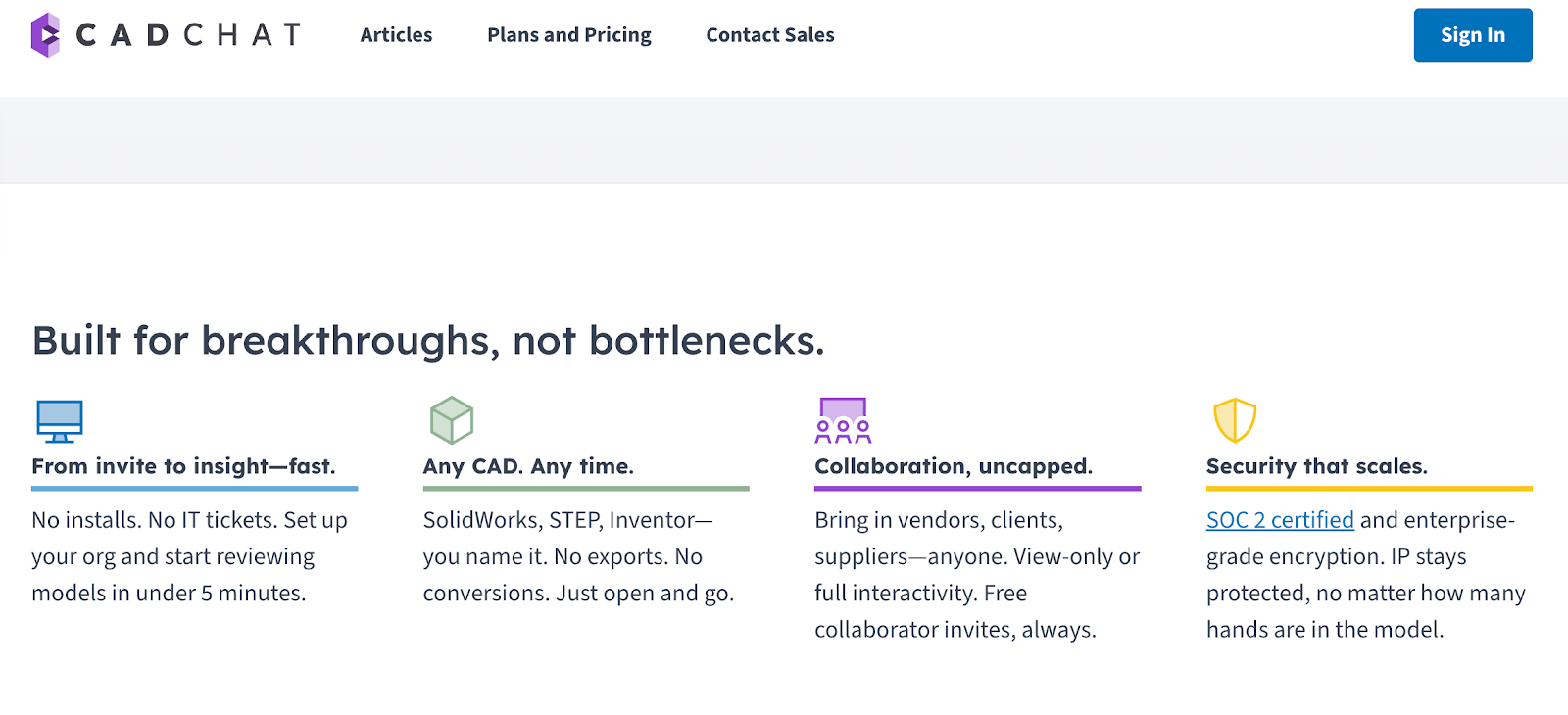
CADchat is built for teams that meet online to review CAD models, making it easy to open the file, move through the design, and discuss feedback without switching tools.
It works with SolidWorks, STEP, Inventor, and many other CAD formats with no exports or conversions. You just open the file and begin the design review meeting right away.
Feedback sits inside the model, and comments never get lost. Anyone can join the review, even people who may not be familiar with CAD software. They can view the file, point to what they mean, and share clear thoughts.
Collaboration is open to everyone. You can bring in vendors, clients, or suppliers. They can join as view-only or take part with full interactivity. Collaborator invites stay free, which helps you include the right people without extra steps.
FAQs About Engineering Presentation
How to give an engineering presentation?
To give a good engineering presentation, keep your message clear and simple. Focus on the main problem, how you solved it, and why it matters. Use plain words, speak at a steady pace, and keep your slides clean so your audience can follow along without strain.
What is the 5-5-5 rule for presentations?
The 5-5-5 rule means no more than five words per line, five lines per slide, and five slides with heavy text in your deck. It helps you keep your slides short and readable so people listen to you instead of trying to decode long blocks of text.
What are the 5 P’s of presentation?
The 5 P’s are plan, prepare, practice, perform, and post-reflect. They guide you through shaping your message, getting your materials ready, trying it out, showing up with confidence, and then reviewing what worked for next time.
What are the 4 C’s of engineering design?
The 4 C’s are creativity, curiosity, communication, and collaboration. They help teams think of new ideas, question how things work, share thoughts in clear ways, and build solutions together with less confusion and more shared understanding.