Have you ever wished your CAD tools could think ahead or handle the repetitive parts for you? Many designers and engineers spend hours fixing models, testing variations, and running the same simulations over and over.
AI CAD design tools can solve these problems by bringing automation, intelligence, and creativity into the design process.
They can generate design options, predict performance, and cut down on time-consuming steps so you can focus on innovation instead of routine work.
In this guide, you’ll learn how AI fits into CAD design, what it can do, and how these tools support your workflow.
How Artificial Intelligence Works in CAD Design
AI can be used to help product teams move beyond manual steps by applying AI algorithms and deep learning to predict outcomes, spot patterns, and improve accuracy.
By integrating CAD AI into your design tools, you can speed up the engineering process and spend more time focusing on creativity.
Types of AI CAD Design Tools
AI-powered CAD design tools come in many forms, each built to make your design work faster, smarter, and more creative. Here are some examples you might see available today:
AI CAD Drawing Generator
AI-powered generative design lets you create multiple optimized versions of a concept automatically.
You set the goals, materials, and limits, and the software generates options that balance strength, cost, and performance.
These tools leverage AI and machine learning to explore new possibilities that traditional CAD cannot easily achieve.
Platforms like Autodesk Fusion 360 or Siemens NX show how this technology is driving innovation across industries.
AI-Enabled Parametric and Direct Modeling
Traditional CAD systems such as SolidWorks, Creo, and CATIA now include AI-driven features that make modeling faster and more intuitive.
These tools predict design adjustments, automate repetitive actions, and help maintain geometry consistency.
AI integration in these systems allows you to focus on refining ideas instead of spending time on routine modeling steps.
Use CADchat with your AI tools to simplify design reviews. Get started today!
AI-Assisted Drafting and Documentation
AI-assisted drafting tools convert complex 3D models into precise 2D production drawings with minimal input. They automatically add dimensions, annotations, and notes that meet manufacturing standards.
This automation helps engineers move from design to production faster while maintaining accuracy. Tools like DraftAid and CADGPT are strong examples of this technology in use.
Reverse Engineering Tools With AI
Reverse engineering tools powered by AI help you convert scanned data into editable 3D CAD models.
When you scan a product or component, AI tools can analyze the mesh or point cloud and rebuild it as a clean, parametric model.
Implementing AI in your design workflows can save hours usually spent on tedious tasks, help optimize designs, or reproduce existing designs efficiently.
AI-Based Design Assistants and Chatbots
AI assistants in CAD programs make the software easier to use by responding to questions, guiding you through tasks, and even writing automation scripts.
You can type simple instructions in natural language, and the assistant will perform actions or explain features.
These chatbots help both new and experienced users work faster, learn more, and improve the quality of their final designs.
How Designers and Engineers Benefit From AI CAD Tools
AI is not here to replace designers and engineers. It’s here to help you work smarter. With the right tools, you can spend less time fixing small details and more time shaping new ideas. Here’s how they can help you in your daily work.
Get More Done in Less Time
AI can help you focus on design thinking instead of manual work. By automating repetitive tasks like dimensioning, geometry correction, or constraint checking, you can finish models much faster.
For example, when creating complex assemblies, the AI can automatically detect and fix missing constraints or alignment issues in your 3D renders.
This lets design engineers move forward without wasting hours on small details. The result is better design efficiency and more time to refine your ideas.
Cut Down on Errors
AI systems make your work more reliable by checking your CAD models for potential issues in real time.
They can catch geometry conflicts, material mismatches, or simulation setup errors long before you begin production.
Imagine designing a mechanical component and having AI immediately alert you if tolerances don’t fit or materials exceed stress limits. These AI CAD features help maintain design quality, reduce rework, and shorten approval cycles.
Turn Ideas Into Smart Designs
When you use AI in your projects, you open doors to new creative directions. AI tools can generate multiple design options based on your goals and constraints, showing you ideas that might not come up during traditional modeling.
For example, if you’re designing a lightweight part for aerospace, AI can suggest unique structures that maintain strength while cutting weight.
Integrating AI helps you balance creativity, performance, and cost, making innovation part of your everyday workflow.
Make Smarter Design Choices
AI systems help you make more informed decisions by analyzing performance data, predicting issues, and simulating real-world behavior.
They can test how materials react under stress, calculate energy use, and recommend improvements before physical prototypes are built.
Predictive modeling can show how a structure will respond to load changes or temperature shifts. These insights help you refine the design process and deliver better-performing products.
Connect Design to Manufacturing
AI helps close the gap between design and manufacturing processes. You can simulate production steps, generate digital twins, and identify potential bottlenecks before anything goes to the factory floor.
AI can flag areas that are hard to machine or suggest adjustments to make 3D printing faster and more cost-effective. This creates a smoother path from concept to final production.
Beyond efficiency, it also supports ethical considerations by encouraging smarter use of materials and reducing waste throughout the product lifecycle.
Turn AI CAD Training Into Real Teamwork With CADchat
The hardest part about adapting new tools in pre-existing product design workflows is learning how it works and how to best utilize it.
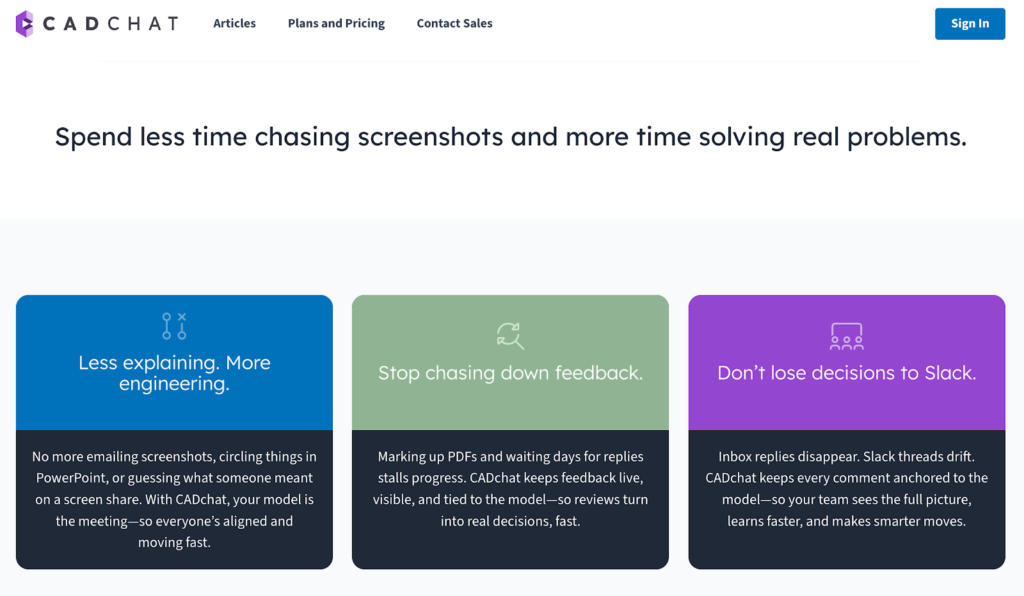
CADchat is a CAD-focused remote collaboration tool that helps you make the most of these tools through real-time collaboration that keeps everyone connected and aligned.
Real-Time Collaboration for Faster Reviews
With real-time collaboration, you and your team can open AI-generated CAD models together and view updates as they happen.
Everyone can rotate, zoom, and inspect parts while sharing feedback live. This keeps the entire design review process transparent and helps your team make design decisions together without confusion or wasted time.
Smarter Design Decisions
AI models can generate many variations of a single concept, and CADchat helps you make sense of them all.
You can open several versions side by side, discuss what works and what doesn’t, and decide which one fits your design goals best.
When working on complex assemblies, this setup gives you the context you need to evaluate every detail. You can compare AI-generated parts that prioritize weight reduction with others that focus on durability.
Continuous Refinement of AI Models
AI-generated designs keep learning and adapting, and so can your workflow. CADchat gives you the tools to continuously improve by saving all comments, discussions, and revisions in one place.
Each new iteration builds on previous insights, helping your AI-driven product design grow stronger with every round of feedback.
User-Friendly Feedback Experience
CADchat makes reviewing complex AI-generated CAD models simple and user-friendly. Non-technical teammates can leave notes or suggestions without needing CAD expertise.
Visual feedback and intuitive controls make it easy to share ideas, keeping everyone involved in refining the final product.
Reducing Errors and Improving Problem Solving
When you review AI CAD outputs directly in CADchat, you can catch alignment issues, missing constraints, or manufacturability concerns early.
The ability to comment and correct within the model reduces errors and speeds up problem-solving, helping you move closer to a polished, production-ready design.
Ready to collaborate with AI designs like never before? Get started with CADchat today!
FAQs About AI CAD Design
Can AI generate CAD designs?
Yes, AI can generate CAD designs by analyzing data, recognizing patterns, and creating 3D models automatically.
With a good prompt, AI can assist in producing detailed layouts faster, making the process more efficient. It helps designers save time and focus on problem-solving instead of repetitive work in the CAD industry.
Which AI is best for CAD design?
Several AI tools can handle CAD work, such as Autodesk’s Fusion 360 with generative design, and Siemens NX, which offers automation through AI.
These tools play a crucial role in improving productivity and offer premium features that speed up modeling and testing. The best one depends on your project needs and budget.
Can ChatGPT do CAD?
ChatGPT can’t directly create CAD models, but it can help with concept planning, scripting, and writing prompts for AI design tools.
When combined with CAD software through seamless integration, it can help you generate ideas, automate tasks, and explain design concepts more clearly.
Will AI replace CAD design?
AI won’t replace CAD designers, but it will change how they work. It helps with training AI models that learn from designs and improve over time.
Designers still make the final decisions, so AI acts more as a helpful partner than a replacement in the CAD industry.